Best Laptop Stand for Cooling: Airflow vs Fan Pads
What is the best laptop stand for better cooling?
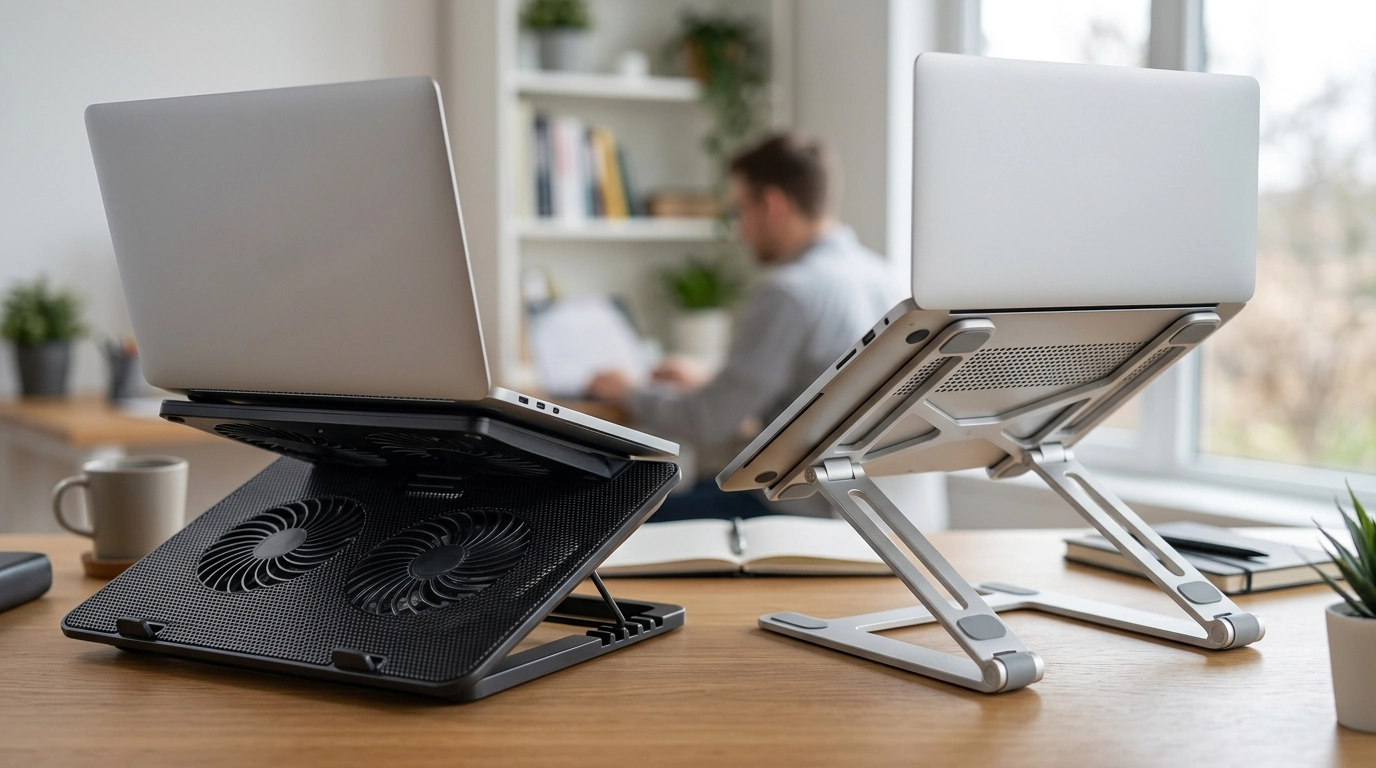
The best laptop stand for better cooling is one that lifts your laptop high enough to create steady airflow under the chassis and, when needed, adds quiet active cooling with a well-placed fan. For most people, a ventilated stand that raises the rear 2–6 inches and keeps the bottom unobstructed delivers the biggest temperature drop without adding much noise or bulk.
What to look for in a cooling-focused laptop stand
Open airflow design: Mesh, slotted aluminum, or a minimal “frame” style helps heat escape instead of trapping it against a solid surface.
Adjustable height and tilt: Even a small incline improves intake/exhaust breathing on many laptops and prevents heat soak on desks or laps.
Stability and grip: Rubber pads and a firm hinge matter because better cooling is useless if the laptop slides or wobbles while typing.
Material that sheds heat: Aluminum tends to feel cooler and can help distribute heat away from hot spots, while sturdy ABS plastic can still work if the airflow is wide open.
Optional fans (cooling pad style): A good fan stand should push air where your laptop actually vents. Bigger, slower fans are typically quieter than small high-RPM fans.
Stand vs. cooling pad: which cools better?
If your laptop already has decent ventilation, a non-fan stand often provides a noticeable improvement just by letting the built-in fans breathe. If you game, render video, or run heavy workloads for long stretches, a quality cooling pad with one or more large fans can reduce sustained temperatures and help prevent thermal throttling.
Quick setup tips for maximum cooling
Keep vents clear, avoid soft surfaces, and leave a little space behind the hinge area where many laptops exhaust heat. If you use an external keyboard and mouse, raise the laptop higher for even better airflow and comfort.
For specific stand styles and cooling-friendly picks, see the full guide here: https://amazingdealshut.shop/what-is-the-best-laptop-stand-for-better-cooling/.
FAQ
Do laptop stands help with airflow even without fans?
Yes. Elevating the laptop creates space for air to circulate underneath and reduces heat buildup on the bottom panel, which can lower temperatures during everyday use.








Leave a comment